
Algolia charges for what your shoppers do: every search, and every record you keep in the index. That is a fair deal for a small catalog. It gets expensive once search becomes the main way people use your site, because the bill now grows with traffic instead of with revenue.
Moving to a search engine you own fixes the billing model. It does not fix everything else, and for some businesses it is the wrong move. This piece comes from my search and discovery work for e-commerce teams. It shows how to estimate your bill, what “owning” involves, and how to tell which side of the line you are on.
The short version: you pay Algolia for usage, so cost climbs with traffic. An engine you run yourself costs roughly the same at ten million searches as at one million, but you take on the work of running it. Whether that trade is worth it depends on three numbers you can pull from your own account today.
Why the Algolia Bill Grows Faster Than Revenue
Algolia meters two things: search requests and records. A request is any call your site makes to the search index. A record is one item in the index, such as a product. Updates to those records count too.
The catch is that a request is not the same as a search. A shopper who types “quiet dishwasher” does one search. In a search-as-you-type box that sends a request on every keystroke, that is 16 requests. Add autocomplete suggestions and filter clicks, and one visit to the site can produce dozens.
A request on every keystroke
Shopper types: quiet
Requests sent: 5
Each letter is a call to the index, and each call is metered.
Wait for a pause in typing
Shopper types: quiet
Requests sent: 1
Same result on screen. A fifth of the requests.
Here is an illustrative month, with made-up traffic and no Algolia prices in it. Say 500,000 sessions use search, with three searches each. That is 1.5 million searches. If each one sends five requests, you are billed for 7.5 million. If the front end waits for a pause in typing, it is closer to 1.5 million. Same shoppers, same results, a fivefold difference in the meter.
Three numbers to pull first
Last month’s search requests, the number of requests per search (divide the first by the number of searches in your analytics), and your record count with how often it changes. Those three tell you what you are paying for and how fast it will grow. To see how well the search itself performs, my e-commerce search health check scores it.
Cheaper Ways to Stay on Algolia
Before you consider a move, check what you can fix in place. A bill that is five times too high because of keystroke requests is a front-end change, not a migration.
Debounce the search box.
Send the request after the shopper pauses, not on every letter. Algolia has its own guide to cutting request usage.
Stop searching on page load.
Category pages that run a search to render a product grid are billed like any other search. Cache those results.
Filter bots.
Crawlers and monitoring scripts that hit the search endpoint are billed like shoppers.
Trim the index.
Out-of-stock, discontinued and duplicate items still count as records.
If you have done all of that and the bill still tracks traffic upward, the pricing model itself is the problem. That is when alternatives are worth a serious look.
The Algolia Alternatives, Sorted by How Much You Run Yourself
Most “Algolia alternatives” lists mix very different things. Sorting them by how much you take on is more useful than ranking them.
Hosted search service.
Algolia and its direct competitors. Billed by usage; the vendor runs everything.
Managed open-source engine.
OpenSearch or Elasticsearch, run by a cloud provider or the vendor. You still own the index design and relevance.
Self-hosted engine.
OpenSearch, Elasticsearch, Typesense or Meilisearch on servers you control. You own the data, the settings and the upkeep.
The middle option is where many teams land. A managed OpenSearch or Elasticsearch service is billed for the capacity you reserve, not for each search, so the cost stays flat when traffic spikes. You still decide how documents are structured and how results are ranked.
The fully self-hosted option has the lowest running cost and the most work. It makes sense when you already have people who run infrastructure, or when someone else is running it for you. I cover that setup under OpenSearch consulting and implementation.
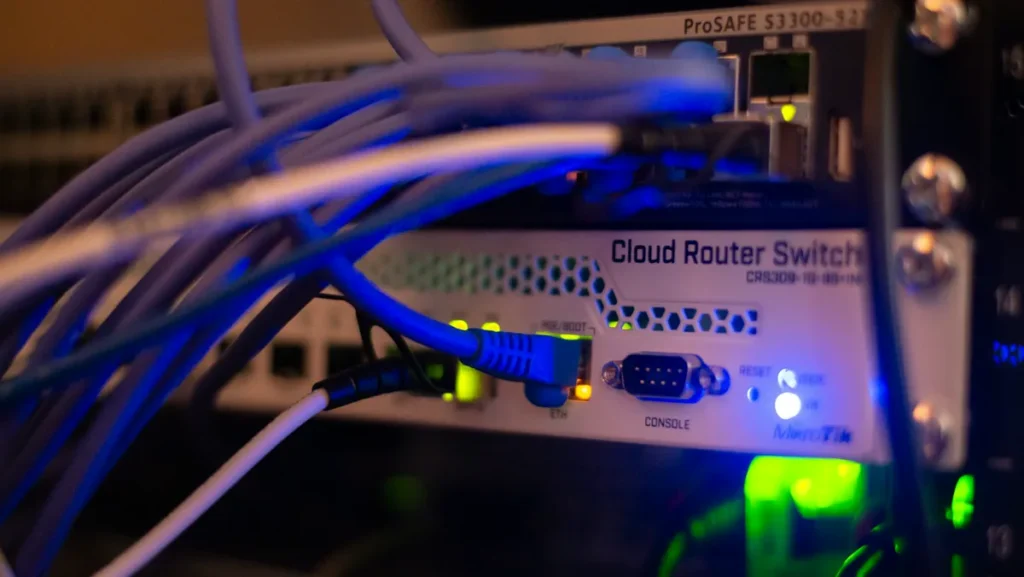
Photo by Albert Stoynov on Unsplash
Four Problems an Owned Engine Solves
Cost is the first reason teams look. It is rarely the only one. These are the complaints that tend to come with it:
Every campaign we send makes the search bill go up
Cost tied to servers, not to requests.
Our B2B customers see list price, not the price in their contract
Pricing logic applied inside the search itself.
Our product data has more attributes than the index wants to hold
A schema built around your catalog.
We pinned the right result and the ranking moved it anyway
Ranking you can read, test and replay.
On lock-in
Your records are not trapped: you can export them. What takes time to move is the tuning, meaning the synonyms, rules and ranking settings you built up over the years, plus any front-end code written against Algolia’s libraries. Typesense and Meilisearch both publish adapters for Algolia’s InstantSearch library, so much of a front end built on it can stay. Elasticsearch and OpenSearch have no equivalent built in, so expect more front-end work there.
On ranking, Algolia lets you set custom ranking and rules, so you can steer results. If your merchandisers still spend their time arguing with the order, find out how much of the reason a result ranks where it does your setup lets you see. That is the part an engine you own makes fully visible.
When to Stay on Algolia
Owning a search engine moves cost from a usage bill to people and servers. That is a good trade at volume and a bad one below it. Stay if any of these describe you:
The bill is small next to one engineer’s time.
Compare 12 months of invoices with what it costs to run, monitor and upgrade an engine, including who gets paged.
Nobody on the team can own it.
An unmaintained engine gets slower and more stale each month. A hosted service does not.
The default relevance is already good enough.
If shoppers find what they want and zero-result searches are low, there is no tuning problem to solve.
The catalog is small and changes slowly.
The case for a custom schema weakens when there is not much data to model.
How to Test an Alternative Before You Commit
The risk in a migration is not the engine. It is finding out after cutover that results got worse for the searches that earn your money. The fix is to measure on your own queries first.
01
Pull the numbers.
Twelve months of invoices, plus the query log: top searches, zero-result searches and the searches that lead to a purchase.
02
Export records and settings.
Records, synonyms, rules and ranking settings, so nothing built up over the years is lost.
03
Index a copy in the new engine.
Production keeps running on Algolia. Nothing changes for shoppers.
04
Replay real queries side by side.
Run the top searches and the zero-result searches through both engines and compare what comes back. This is where relevance gets tuned, on your data instead of a vendor demo.
05
Send a slice of traffic.
A small share of shoppers see the new engine. You watch search conversion and zero-result rate against the rest.
06
Switch over, keep the way back.
Keep the old index live until the new one has held up through a full sales cycle.
Step four is the one to protect. It is the only step that tells you how real shoppers will be affected before they are.
The Bottom Line on Algolia Alternatives
Algolia is a good product with a pricing model that rewards low volume. If your bill is small, leave it alone. If it grows with every campaign and you have fixed the obvious waste, price out an engine you own, and test it on your own queries before you trust the quote or the demo. And whichever engine you run, failed searches cost you sales, so read a practical playbook for fixing zero-result searches before you decide that the engine is the problem.
Common Questions About Moving Off Algolia
Is Algolia too expensive?
Not for everyone. It depends on how many requests each search sends and how much traffic you have. Run the three-number check above before deciding.
Can I keep my front end if I switch?
Partly. If it is built on Algolia’s InstantSearch library, Typesense and Meilisearch have adapters that let you keep much of it. Adapters do not cover every widget, so test the pages that matter most.
What do I lose by leaving?
The hosted convenience: someone else running, scaling and upgrading the search. You also have to rebuild your synonyms and rules in the new engine, which is usually the slowest part.
Who looks after the engine afterwards?
Either your team, a managed cloud service that handles servers and upgrades, or an outside engineer on a retainer. Decide this before the move, because it is most of the real cost.